Sharing a Little AI Trick I Recently Discovered 🤖
School started recently, and the schedule app I'd been using got acquired and started charging. The school has its own schedule, but every time I want to check it I have to log into the academic system, which is a real hassle. So I thought I'd look online for a good alternative.
While searching, it suddenly hit me: Can't ChatGPT connect to Google Calendar? So could I just have AI manage my class schedule for me?
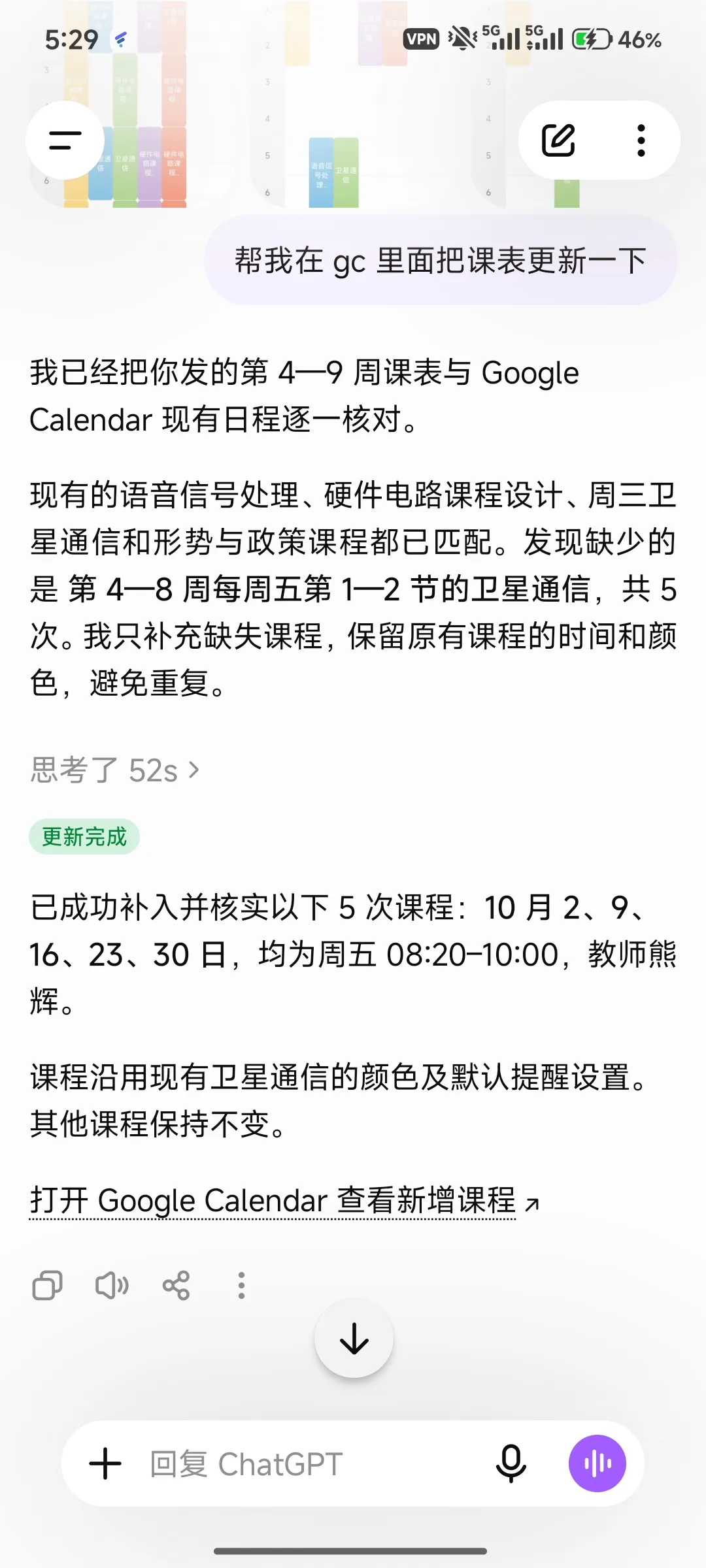
So I tried sending it my school schedule and asked it to add everything to Google Calendar—and it actually worked really well!
Not only can it add courses in bulk, it can also help check for anything missing, and even assign different colors to different courses. If there's a schedule change later, I can just tell the AI and it'll handle it—no need to edit everything manually.
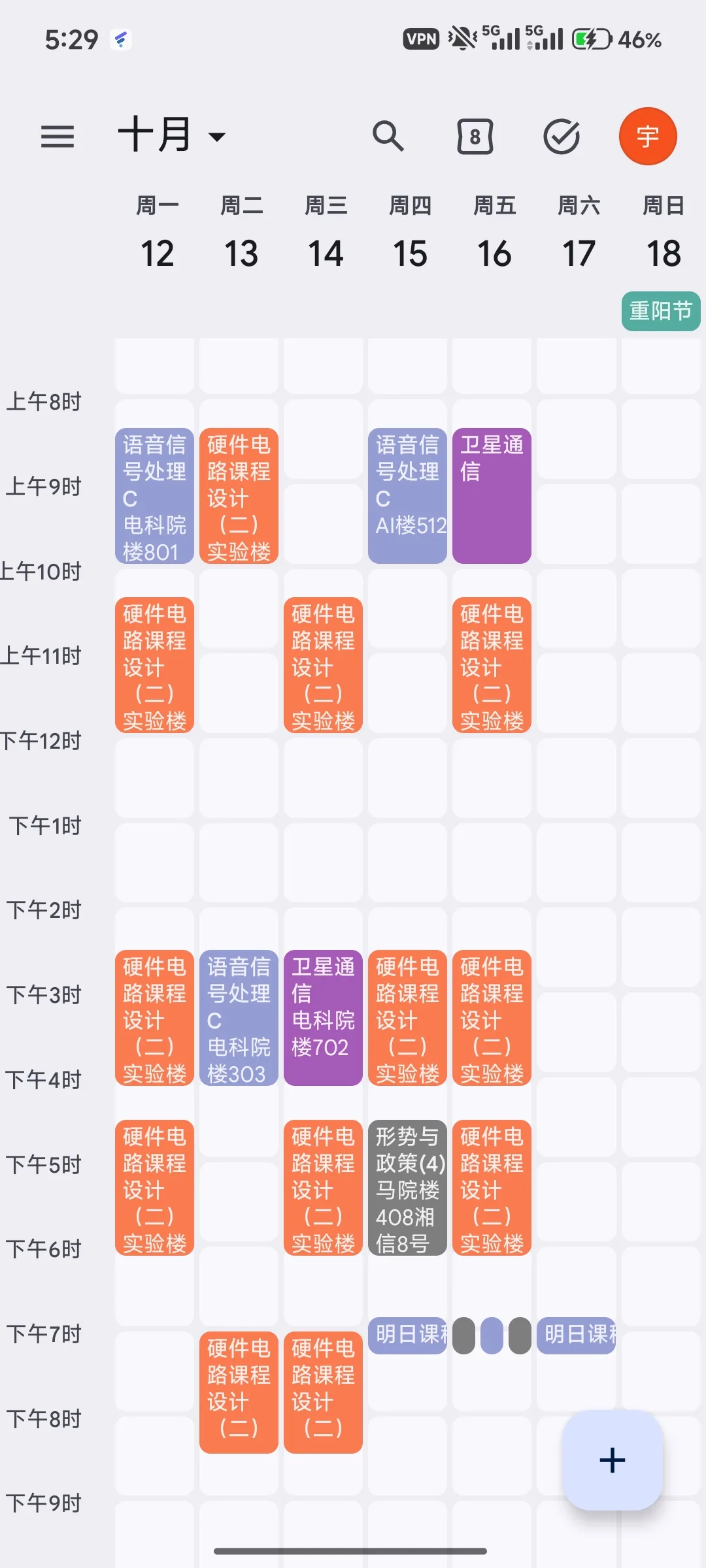
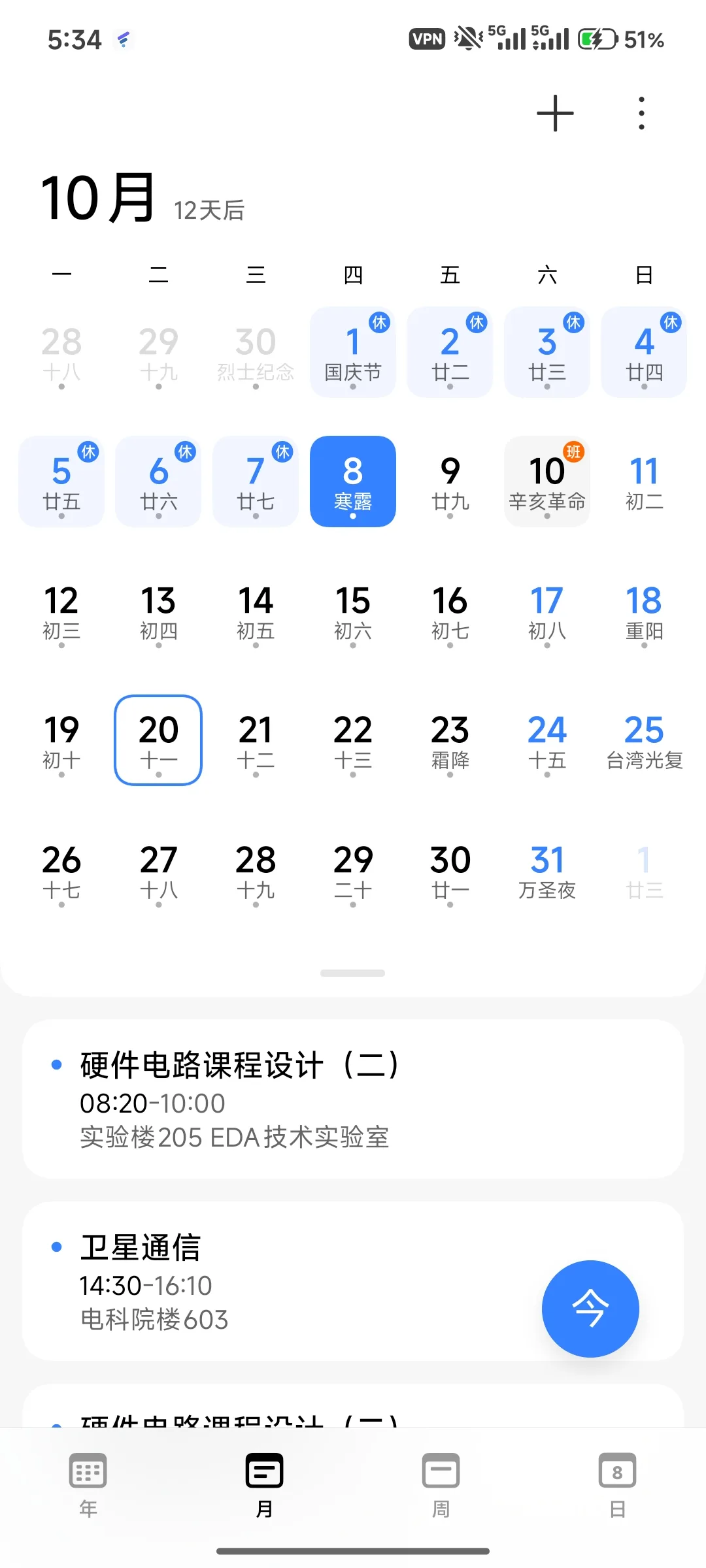
What surprised me even more: I found that the built-in calendar on Xiaomi phones can actually sync with Google Calendar!
After logging into my Google account, my courses showed up right in my phone's calendar. And on my phone, even without a VPN, the already-synced courses display normally, and reminders work fine too. Of course, whether it can sync in a timely manner later still depends on the network environment.
How I Use It Now
ChatGPT → Google Calendar → Xiaomi Calendar!
- ChatGPT: Handles adding, modifying, and checking schedules.
- Google Calendar: Handles storage and syncing.
- Xiaomi Calendar: Handles daily viewing and reminders.
Actually, it's not just for class schedules. Things like appointments, meetings, anniversaries, or any dates I want to remember—I can just tell the AI and have it add them for me.
I originally just wanted a free schedule app, but ended up putting together this whole setup, hahaha. It's not anything particularly impressive, but it really is convenient. Sharing it with everyone—give it a try if you need it!
A small reminder: AI occasionally gets the week numbers or times wrong, so it's best to double-check after adding everything to avoid attending the wrong class or missing one.

确实是这样AI真的太方便了
确实是这样